
Your first AI-generated sound: from a text prompt to a playable instrument
A five-minute walkthrough of AI Synthesizer: write a prompt in plain words, pick between takes, steer with tags, shape the result with real effects, and keep the sound you made.
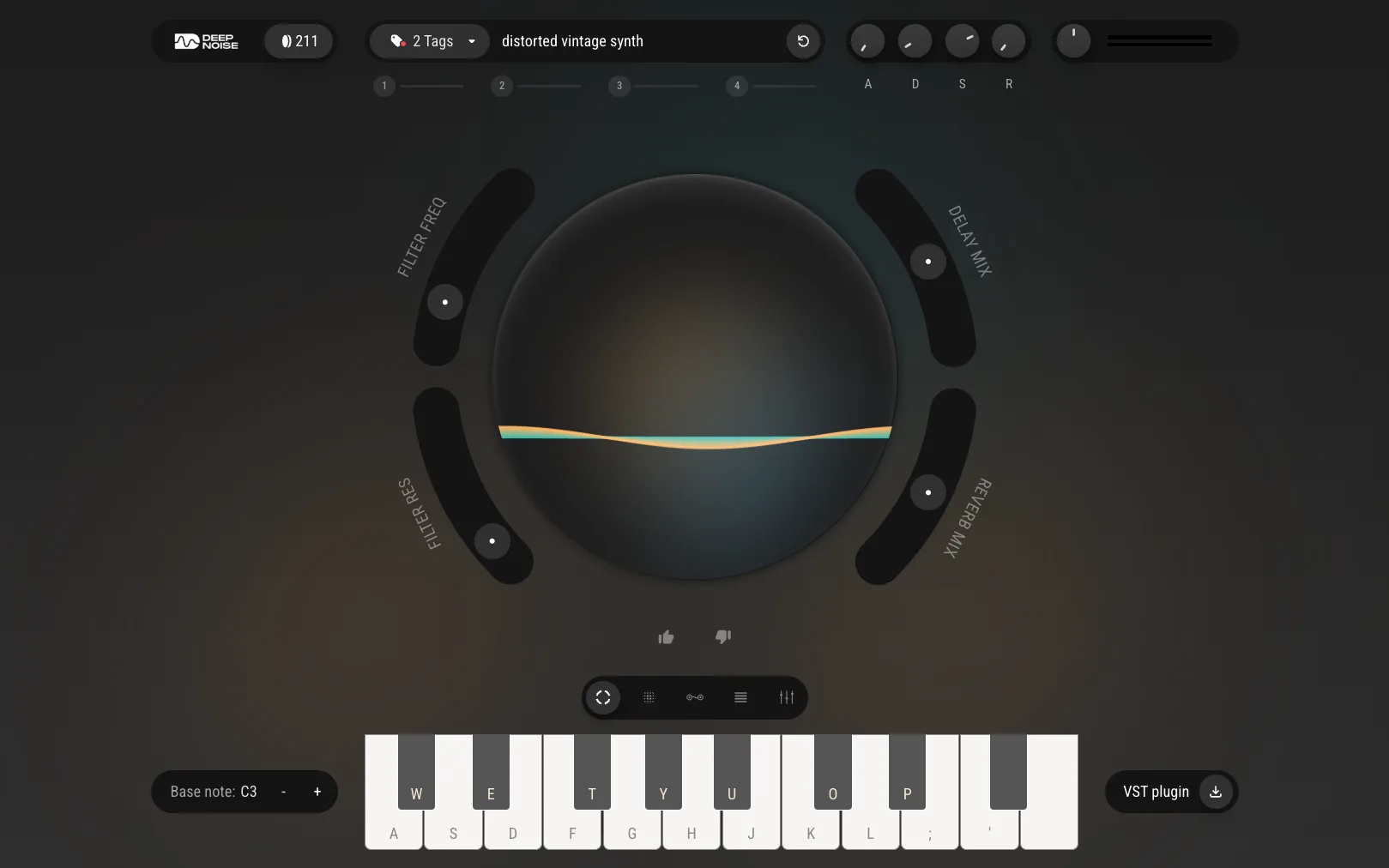
The first thing people do in AI Synthesizer is type something like epic cinematic sound and wait for magic. The result is usually fine, and usually forgettable - because “epic” is a feeling, not a sound. The second prompt is where it clicks: warm analog bass, glassy piano with rain, and suddenly there is a new instrument under your fingers that did not exist a minute ago.
This is the whole first session, in the order that works. It takes about five minutes and the free plan covers all of it.
Start with words, not presets
Open the app and describe the sound you are hearing in your head, in plain words. Two or three words carry a long way: an instrument family (“bass”, “piano”, “pad”), one texture word (“warm”, “glassy”, “gritty”), maybe a context (“with rain”, “analog”). You are not writing a poem for a model; you are naming a sound the way a sound designer would.
A few seconds later the sound is back - not a sample to audition, but a playable instrument. Play it from your keyboard or click the keys on screen. If it is even close, keep going; do not re-prompt yet.
Pick between takes, not retries
Every generation returns several takes of the same prompt. This is the part that feels different from other AI tools: instead of one answer you either accept or reject, you are choosing between fresh options, the way you would choose between takes of a recording.
Listen to each one before judging the prompt. Very often the words were right and take three is the sound. One generation costs one credit regardless of how many takes it returns, so auditioning takes is free listening.
Steer with tags
When the character is right but the style is off, do not rewrite the prompt - push it with tags. Genre, mood, and style tags nudge a sound toward what you are already hearing: the same “warm analog bass” reads very differently tagged toward techno than toward lo-fi.
Tags are the middle ground between “another take, please” and “let me rewrite this from scratch”. Reach for them second, not last.
Shape it with real effects
A generated sound is a starting point, not a verdict. Every sound runs through a full modular effects chain - filter, dynamics, modulation, reverb, delay, lo-fi - and this is where it becomes yours. Roll off the top end, tuck in a short delay, push the lo-fi stage until the texture sits right.
This is the honest answer to “will it sound generic”: only if you stop at the raw generation. The chain is the difference between a sound the model made and a sound you made.
Keep what you love
When a sound is right, save it. Your library keeps your favorites and your download history, and it follows you - the same saved sounds are there in the browser and in the DAW plugin. Any sound can leave as a WAV, so nothing you make is locked in the app.
What the first session will not do
AI Synthesizer will not write your track. There is no “generate a song” button anywhere in it, on purpose: it is a sound generator, built bottom-up, so the chords, the writing, and the arrangement stay yours. If you came for a finished song in one click, this is the wrong tool. If you came because preset-scrolling was eating your evenings, this replaces exactly that.
Main claim: The fastest way to understand AI Synthesizer is one honest session: describe a sound in plain words, choose between takes, steer with tags, and finish it in the effects chain. Five minutes, 40 free credits, and the sound at the end is one nobody else has.
Try AI Synthesizer
Describe a sound and play it seconds later - free in your browser.
Try AI SynthesizerFrequently asked questions
Do I need to install anything to try AI Synthesizer?
No. AI Synthesizer runs in your browser - open the app, sign up, and start generating. If you produce in a DAW, the same sounds are also available through the VST3 / AU plugin, but nothing about the first session requires it.
How many sounds can I generate for free?
The free Starter plan includes 40 one-off credits. One credit is one generation, and each generation returns several takes to pick from - so 40 credits is a real afternoon of experimenting, not three clicks.
Can I write prompts in my own language?
Yes. You can prompt in any language. The examples in this guide are English, but the same moves - name the character, add a texture word, say what it is for - work in whatever language you think in.
Is AI Synthesizer a song generator?
No, and that is the point. It generates individual playable sounds - instruments you play yourself. You keep the writing, the chords, and the arrangement; it replaces preset-scrolling, not producing.